The peak of game development.
Forge connects the Claude Code or Codex plan you already have to Unreal Engine and Unity. Your agent builds inside the editor, playtests what it made, and keeps working through crashes and restarts while you're away.
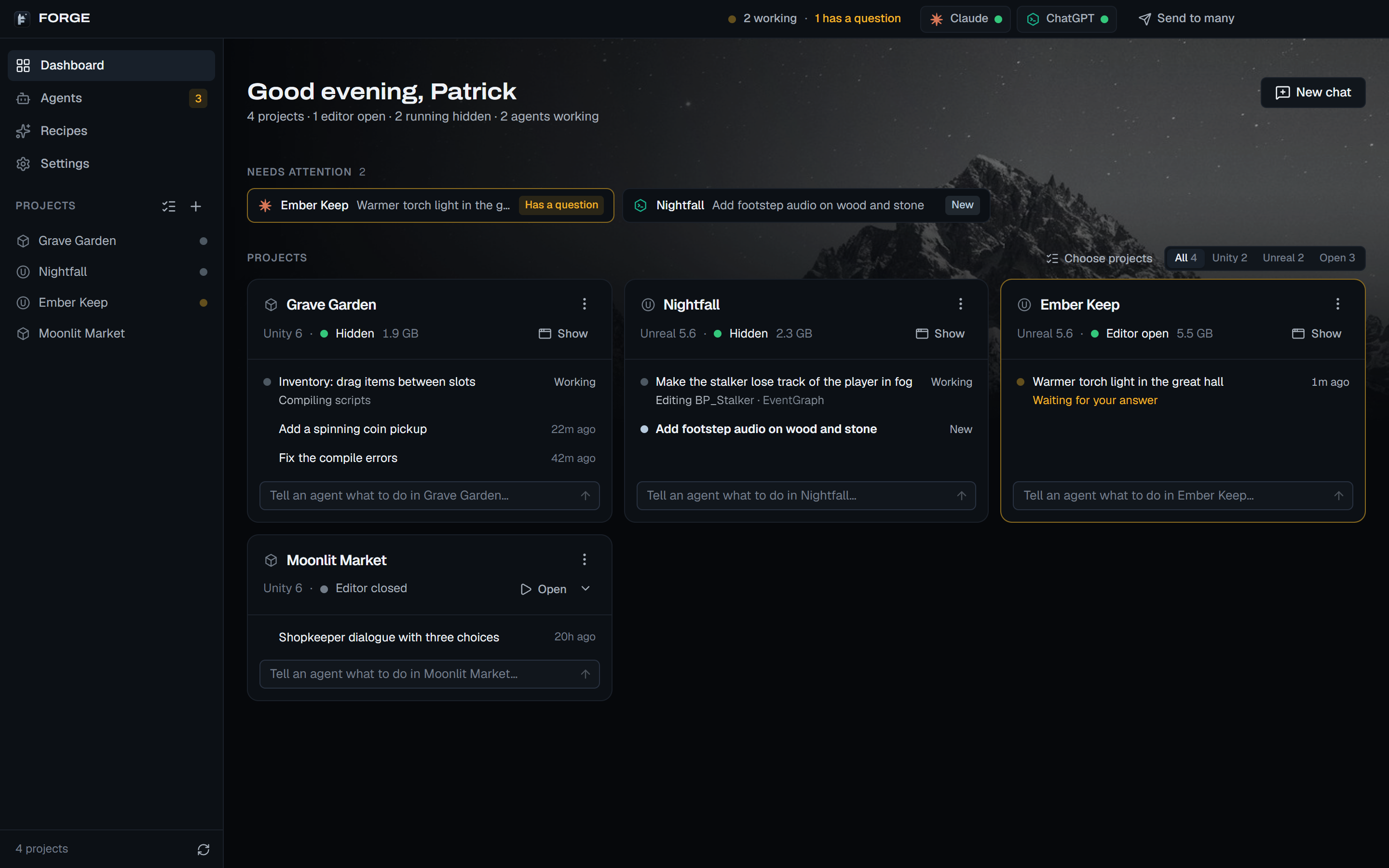
Why Forge instead of just Claude or Codex?
Claude or Codex is the brain. Forge gives it hands inside your game engine, and keeps it working while you're away.
| Job | Claude Code or Codex alone |  With Forge With Forge |
|---|---|---|
| Work in the editor | Reads and writes files on disk. Can't see or drive the open editor. |
350+ Unreal and 300+ Unity editor commands: Blueprints, levels, materials, UMG, Niagara, animation. |
| Test the game | Can't press Play or see what happens. |
Plays it in PIE or Play mode with simulated player input, screenshots and multiplayer sessions. |
| Know it's done | Reports “done” when it thinks it is. |
Checks the work: compile, save, playtest and screenshot before a scheduled step moves on. |
| Crashes, dialogs, C++ | The run stalls until you're back to restart, click or rebuild. |
Restarts the crashed editor, closes the dialog nobody answered, rebuilds C++ and lets the agent carry on. |
| Stopping halfway | Ends on “Should I continue?” or a usage limit. |
Work until done keeps it going to the end of the task, and waits out usage limits. |
| Overnight work | One prompt at a time, in a terminal you watch. |
Schedule a sequence of steps for now, later or every day. One blocked step is skipped, not the whole night. |
| Several games | A terminal and an editor to juggle per project. |
One dashboard for every project, and Send to many for the same task in several games. |
| Your AI bill | Your Claude or ChatGPT plan. |
The same plan. Forge adds no AI bill, and Token saver makes the plan go further. |
Hands inside Unreal and Unity.
Forge installs its own editor plugin in each project with one click, Install or Update Forge. Your agent gets the engine's real tools, and you get a Forge chat panel right in the editor, whether Forge Desktop is open or not.
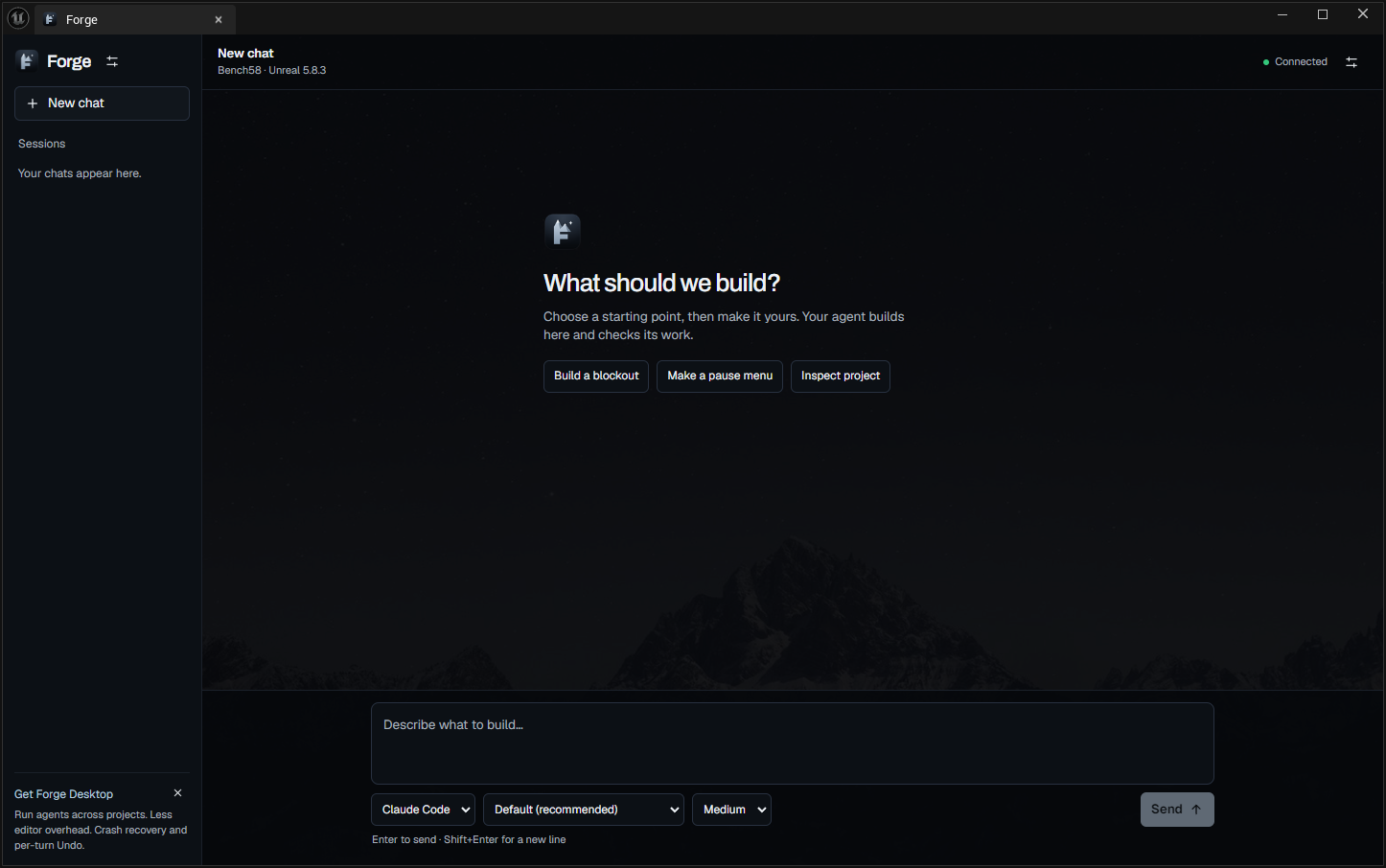
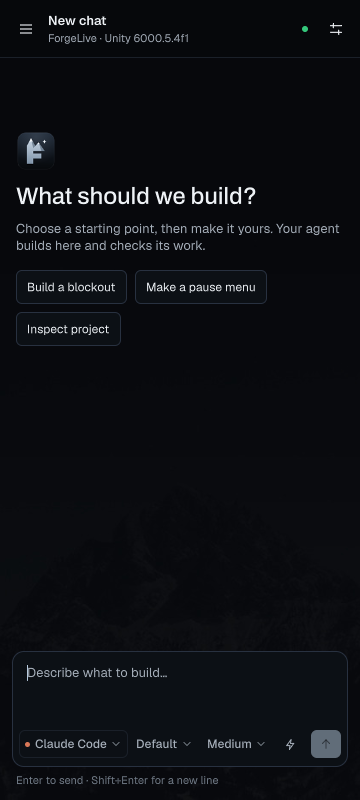
- Blueprints and gameplay
- Build and wire Blueprint graphs, components, Enhanced Input and behavior trees, then compile and validate.
- Levels from a description
- Declarative blockouts: walls, rooms and openings in centimetres become joined geometry, checked for gaps and player clearance.
- Look and feel
- Materials, UMG interfaces, Niagara effects and animation Blueprints, checked in the running game, not just in the graph.
- Playtests that play
- PIE and Play mode driven with simulated keys, mouse and gamepad, with assertions and screenshots of what actually happened.
- Multiplayer testing
- Unreal clients as separate game processes for EOS and Steam, and Unity Multiplayer Play Mode.
- Guard rails
- A script safety check reviews agent-written Python and C# before it runs. When the agent needs a fresh editor, Forge saves and restarts it.
Unreal Engine 5.6 or 5.8, Unity 2022.3 or newer. Needs the Claude Code or Codex CLI with your own Claude or ChatGPT account. The editor plugin only listens on your own PC. Plugin help
Built by an agent through Forge.
Real stills from five Unreal 5.8 tasks: a level, an effect, a material, a HUD and a character playtest. Each was judged from the saved assets and the running game, not from the agent's word.
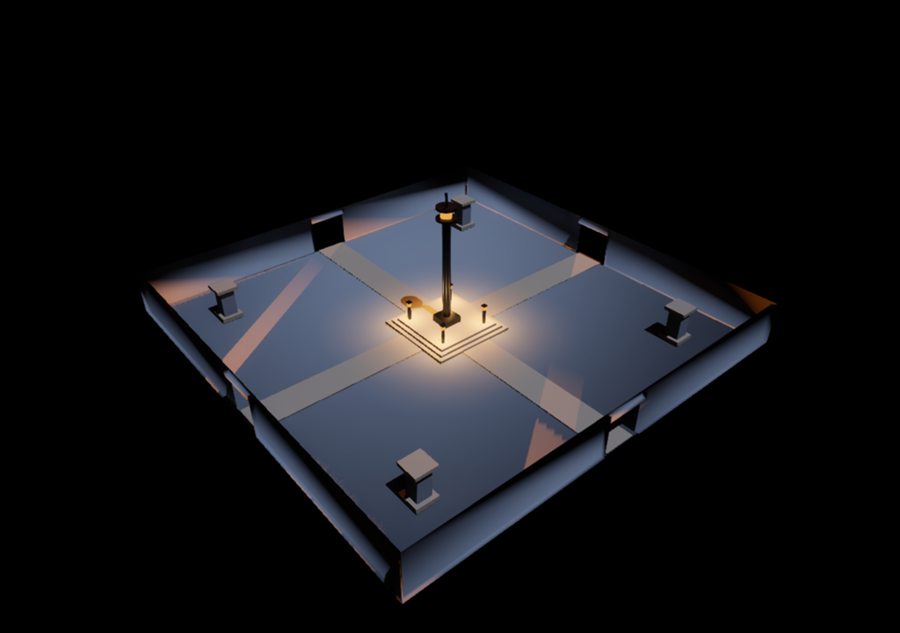
Level blockoutWalls, gates, plinth 
Niagara effectCore and halo 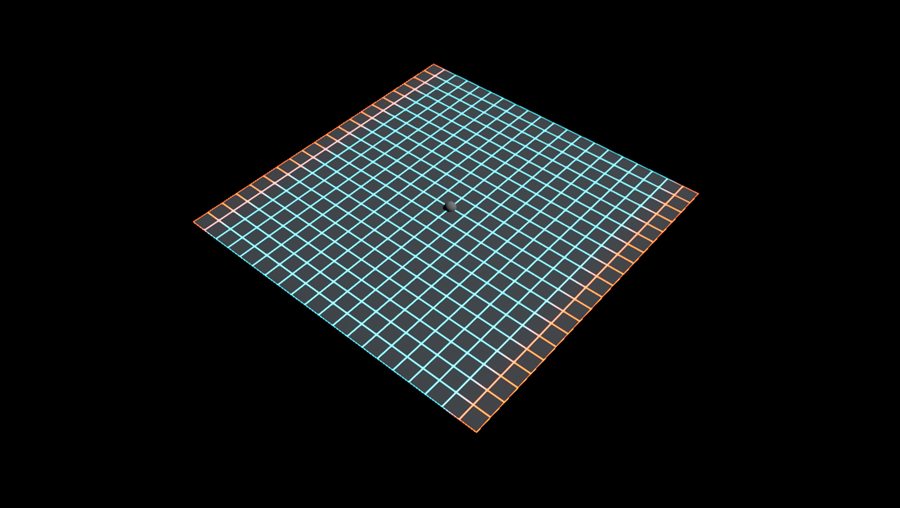
MaterialAnimated emissive grid 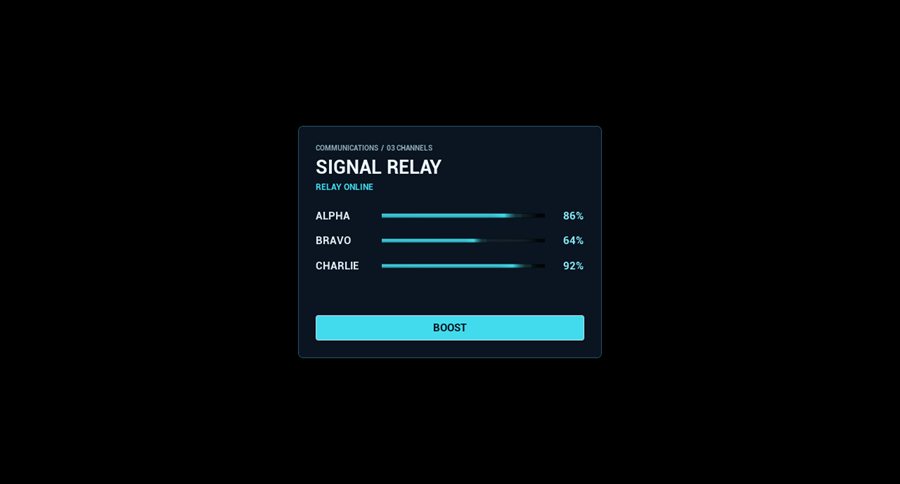
UMG widgetFade-in HUD panel 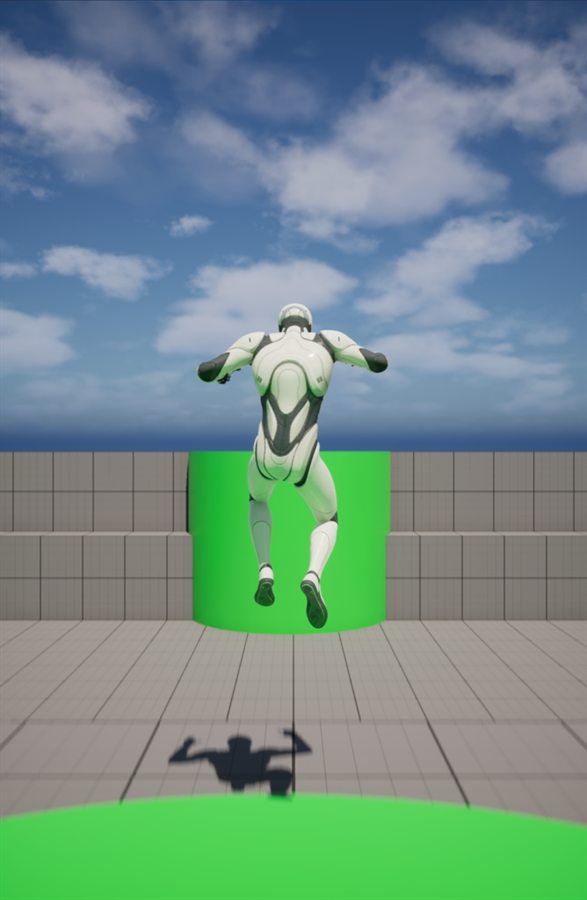
Animation BlueprintJump, in a playtest
NeoStack's published run: 3 of 5 in 36 min.
A field note, not a controlled comparison. These are our reconstructions of the tasks described in NeoStack's published UE 5.8 benchmark, run once with Codex in a scratch project and judged by us; their original prompts, harness and model were not available, and the runs were two months apart. Manny is Epic Games sample content and does not ship with Forge.
Keeps working while you're away.
Queue the night's work, go to bed, read the report in the morning. Here is what Forge handles so the run doesn't stop at the first problem.
- You queue the work
- Schedule runs a sequence of steps now, at a set time or every day. Each step has its own model, effort, Fast and images, and can check it compiles, playtest, take a screenshot or commit when it's done.
- The agent stops halfway
- Work until done answers “should I continue?” with “keep going” until the agent says the whole task is finished, and gives a reported blocker one push to work around it.
- The editor crashes
- Forge restarts it and the agent carries on. Only a real crash counts: an editor you close yourself stays closed.
- A dialog blocks the editor
- Forge tells you in the chat and on your phone. If nobody answers in time, it closes the dialog like Cancel and the agent does it another way.
- C++ needs a rebuild
- Forge saves, closes the editor, builds (out-of-date engine plugins too), reopens it and hands the agent any compile errors.
- The agent needs a fresh editor
- It asks, and Forge saves everything and restarts the editor. Nothing unsaved is ever force-closed.
- A step is blocked on you
- It gets one more try, then it's skipped with a notice and the next step runs.
- Limits, errors, reboots
- Usage limits are waited out, connection errors retried, a stuck agent restarted, and work cut off by a Windows restart resumes on its own.
- The chat gets long
- Continue in a new chat opens a fresh one with the same settings and a short handoff: requests, plan, last messages, files changed.
- You wake up
- While you were away lists what got done, failed, recovered or waits for you. Short status pings reach your phone through ntfy or Discord.
Finished work reaches your team.
Forge Version Control is an optional companion app for teams on Azure DevOps, built for game projects. Forge installs it from its Version Control tab and tells you when an update is ready: one click, never in the middle of a send.
- Push to team
- One button at the bottom of any chat. The agent writes the commit message, checks the project still compiles, and Forge Version Control commits and pushes.
- Auto-send
- Per project: Off, Schedules only or Every task. Work is only sent once it compiles, so the overnight run lands in the repo by morning.
- Made for game files
- Git LFS with rules that know Unity and Unreal, so big scenes, textures and audio go where they belong before the first send.
- Never forced
- Conflicts and sign-ins stay in Forge Version Control for you to handle. Forge never resolves a conflict or force-pushes.
See what it costs. Spend less of it.
Forge runs on your Claude or ChatGPT subscription and shows exactly where it goes, read from the logs on your PC.
- Plan limits
- Your session and weekly windows, with a forecast of when this pace runs out and when it resets.
- Usage dashboard
- What every Claude Code and Codex session would cost on the API: tokens, cache savings, by model, day or project.
- Token saver
- Safe condenses shell output with rtk and keeps reads small, same results. Max also compacts earlier. Off works like the CLIs alone.
- Speed or depth
- Fast per chat or step for quicker answers. Ultra for Codex and Ultracode for Claude when a task needs everything.
Your work stays yours.
Forge takes a restore point before every agent turn, in its own store, outside your git history. Didn't like the result? One click puts the files back.
- Review changes file by file, with Unity scenes and prefabs as readable diffs.
- One editor per project, so two copies never fight over the same files.
- Permission requests are never auto-approved, even when nobody is there to answer.
- No Forge account, no Forge telemetry. Usage is read from local logs, and phone pings carry status lines, never code or chat text.
Every game, one glance.
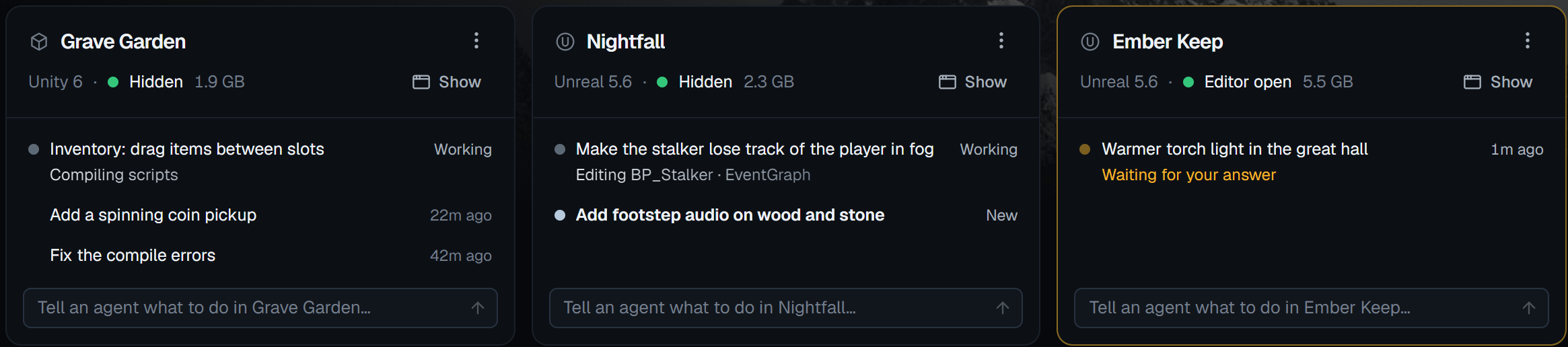
Forge finds your Unity and Unreal projects by itself. Each card shows the editor and what every agent is doing right now. Type into any card to send work.
- Send to many
- One prompt to several games in parallel, with a queue and a RAM guard so your PC stays responsive.
- Recipes
- Saved prompts for jobs you repeat. Built in: Status report, Fix compile & console errors, Commit my work, Playtest & bug report.
- Notifications
- A Windows notification and chime when an agent finishes, fails or needs you, plus your phone when you're away.
- Window or Hidden
- Editors open in a window by default. Pick Hidden to save RAM: Unreal runs headless, Unity on an invisible desktop.
- Project journal
- Forge notes what every finished task did, so the next chat already knows where the project stands.
- Updates itself
- New versions download in the background, and Update all Forge plugins keeps every project's editor plugin current.
Up and running in minutes.
Install Forge
Run the installer. From then on Forge keeps itself up to date.
Connect your AI
Sign in to Claude Code and/or Codex with the Claude or ChatGPT plan you already have.
Pick a game, give a task
Open your project, click Install Forge (close its editor when prompted), then give your agent a task.
Reach the peak.
Your agent, inside your engine, working while you sleep.
Download Forge Desktop for Windows · v1.3.27 · about 93 MB